
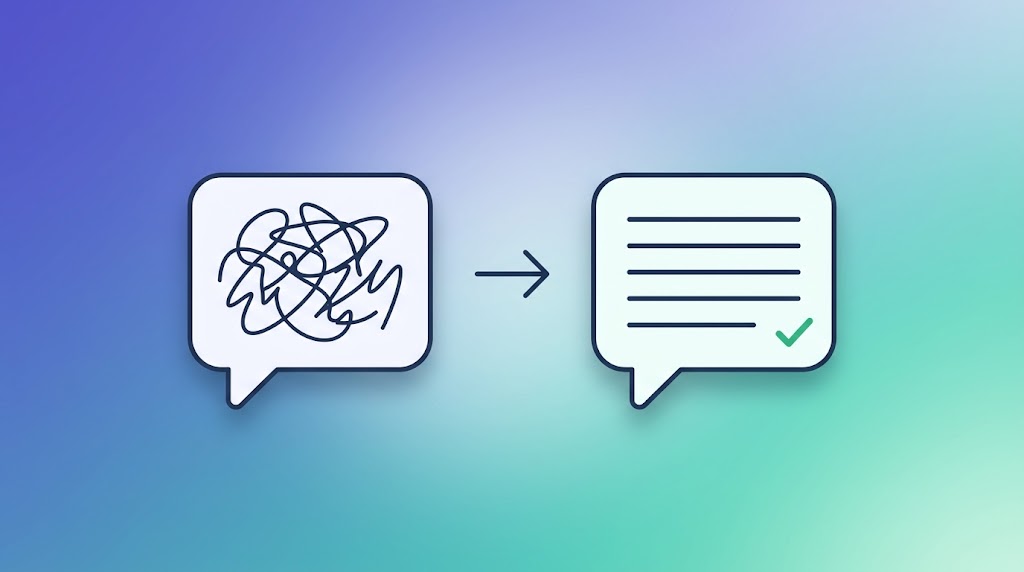
Type a lazy, one-line request into ChatGPT or Claude and you usually get a lazy, one-line-quality answer back. Most people blame the AI for this. In reality, the model is rarely the problem, the prompt is. The gap between "meh, AI is overrated" and "wow, this actually saved me an hour" almost always comes down to how the request was written. This guide breaks down exactly how to close that gap, with real examples you can copy.
The quick answer: what actually makes a prompt good?
A strong prompt usually does four things: it states the task clearly, gives the AI enough context to understand your situation, says what format or length you want the answer in, and, for anything that needs consistency, shows an example of what good looks like. Miss two or three of these and you will get a technically correct but generic answer that needs heavy editing.
Why most "bad AI answers" are actually a prompting problem
When you ask something vague like "write me a caption for my shop," the AI has no idea what your shop sells, who your customers are, or what tone you want, so it fills in the blanks with the most generic, average version possible. That is not the model failing, that is the model doing exactly what you asked, which was not much. The fix is almost never a smarter AI tool, it is a clearer request.
The five building blocks of a strong prompt
- Role or context: Tell the AI who it should act as, or what situation you are in. "You are helping me write for a Pakistani freelance audience" changes the output more than people expect.
- The actual task: State exactly what you want done, as a clear instruction, not a vague topic.
- Constraints: Mention what to avoid, such as tone, length limits, or things you do not want included.
- Format: Say whether you want a list, a table, a short paragraph, or a specific structure.
- Examples, when it matters: If you need a specific tone or structure repeated consistently, show the AI one or two examples of exactly what you want.
Weak prompt vs strong prompt: real examples
Example 1: Writing a blog intro
Weak: "Write an intro for a blog about freelancing."
Strong: "Write a 3-sentence blog intro for Pakistani beginners who want to start freelancing. Tone: honest and encouraging, not salesy. Avoid generic phrases like 'in today's digital age.' End with a question that makes the reader want to keep reading."
Example 2: Analyzing data
Weak: "Look at this spreadsheet and tell me what's wrong."
Strong: "This spreadsheet tracks monthly expenses for a small online shop. Identify the three categories with the biggest month-over-month increase, explain a possible reason for each in one sentence, and present the result as a short table."
Example 3: Generating an image
Weak: "Make a cover image for my blog about AI tools."
Strong: "A flat-design blog cover illustration, soft indigo-to-teal gradient background, six minimalist rounded-square icons representing writing, coding, image generation, video, data, and research, consistent line weight, no text, no real logos, 16:9 landscape."
Notice the pattern: the strong version removes every blank the AI would otherwise have to guess, which is exactly where generic, forgettable output comes from.
Should you tell the AI to "think step by step"?
This used to be one of the best tricks in prompting, and it still helps on straightforward chat models for genuinely complex, multi-step problems, like working through a tricky calculation or planning something with several moving parts. But in 2026, many AI tools, including Claude's extended thinking and similar reasoning modes in other tools, already reason internally before answering. Forcing a long, artificial "walk me through your thinking" instruction on a simple task mostly just adds clutter now. A good rule of thumb: for a genuinely multi-step problem, ask the AI to reason through it before giving a final answer. For a simple, well-defined task, skip it and just be specific instead.
Give examples when you want consistency (few-shot prompting)
If you are asking the AI to do something repeatedly in a specific style, such as writing product descriptions in your brand voice or sorting customer messages into categories, showing two or three examples of exactly what you want is far more reliable than describing the style in words. Keep the examples short, consistent in format, and genuinely representative, three to five is usually the sweet spot. Too many examples can actually confuse the output rather than improve it.
Different AI tools respond to prompts differently
The core principles of a good prompt work across every tool, but each one has quirks worth knowing. ChatGPT tends to respond best when you are explicit about formatting and constraints upfront. Claude in particular responds very well to prompts broken into clearly labeled sections, for example separating your context, your instructions, and your examples into distinct labeled blocks rather than one long paragraph, which noticeably improves accuracy on longer or more complex requests. Gemini tends to do well with examples included, and performs best when you place your actual question or request at the very end, after you have given it all the background information and data it needs to work with.
Treat your first prompt as a draft, not the final answer
Good prompting is rarely a one-shot exercise. Studies on how people actually use AI tools in 2026 consistently show that refining a prompt based on the first response produces noticeably better results than trying to get it perfect on the first try. If you ask for something and the tone or structure is slightly off, just tell the AI what to change rather than starting over. And if you are going to reuse the same type of prompt regularly, such as a weekly report format or a recurring content template, it is worth saving a working version somewhere so you are not rebuilding it from scratch every time.
Common prompting mistakes to avoid
- Asking a vague question and expecting the AI to guess your context
- Not specifying the format, then being annoyed the answer isn't in the format you wanted
- Dumping a huge, multi-part request into one prompt instead of breaking it into steps
- Assuming the AI remembers details from a much earlier, unrelated conversation
- Accepting the first answer without reviewing it, especially for facts, numbers or anything client-facing
- Using the exact same prompt style for every AI tool instead of adjusting to how each one responds best
Quick reference: what to add to your prompt, and when
| If you need... | Add this to your prompt |
|---|---|
| A specific tone or brand voice | One or two examples of that voice |
| Consistent formatting across many outputs | Few-shot examples, 3 to 5, kept short and consistent |
| A complex, multi-step answer | An explicit request to reason through it step by step |
| A simple, well-defined task | Just be specific, skip the step-by-step instruction |
| Long or layered instructions, especially with Claude | Clearly labeled sections for context, instructions and examples |
| Work involving background data, especially with Gemini | Give the data first, then ask your actual question at the end |
Frequently asked questions
Do I need to learn special prompt engineering skills to use AI well?
Not really. Most of what helps is just being as clear with an AI as you would be briefing a new freelancer: explain the task, the context, and what a good result looks like.
Is a longer prompt always better than a short one?
No. A long prompt full of vague filler is worse than a short, specific one. Length should come from genuinely useful detail, not padding.
Why does the same prompt give different quality results on different AI tools?
Each model is trained and tuned slightly differently, so the same wording can land better on one tool than another. This is normal, and adjusting your structure slightly per tool usually fixes it.
Should I always ask the AI to double-check its own answer?
It can help for factual or numerical tasks, but it is not a substitute for checking important details yourself, especially anything you plan to publish or send to a client.
What is the single most useful habit for better prompts?
Treat the first response as a draft and refine it, rather than expecting a perfect answer on the first try. Most of the quality gain comes from that one habit alone.
Good prompting is not a secret trick, it is closer to good communication. The clearer and more specific the brief you give an AI, the less editing you will have to do afterward, and that difference is usually worth far more than switching to a "better" AI tool.